IT help desk requests
Show which settings you opened, which button you pressed, and the error or unexpected result that followed.
 PC issue reports and bug reproduction steps for Windows
Reproduce the PC issue once. Turn the screens and steps into a report support can act on.
Why it exists
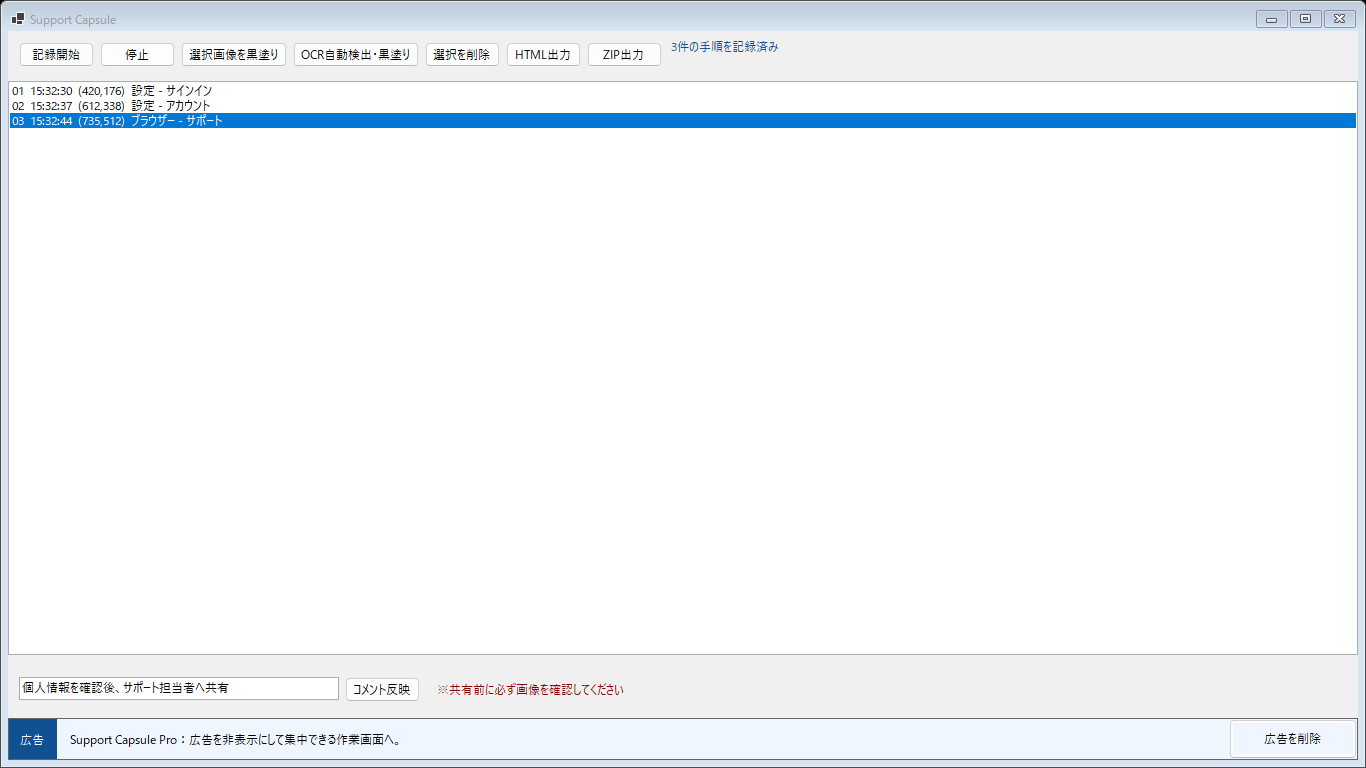
Start recording, reproduce the issue, and Support Capsule captures the screen after each relevant click. It keeps the steps in order, lets you explain what happened with notes, and helps you cover private information before exporting one easy-to-open HTML report or a ZIP package.
Use cases
Show which settings you opened, which button you pressed, and the error or unexpected result that followed.
Give a developer or QA team an ordered visual reproduction path instead of a long message assembled from memory.
Prepare a visual explanation before a call so the helper can see the same screens and steps you saw.
Features
Record the screen after each relevant click and keep the sequence visible in one simple list.
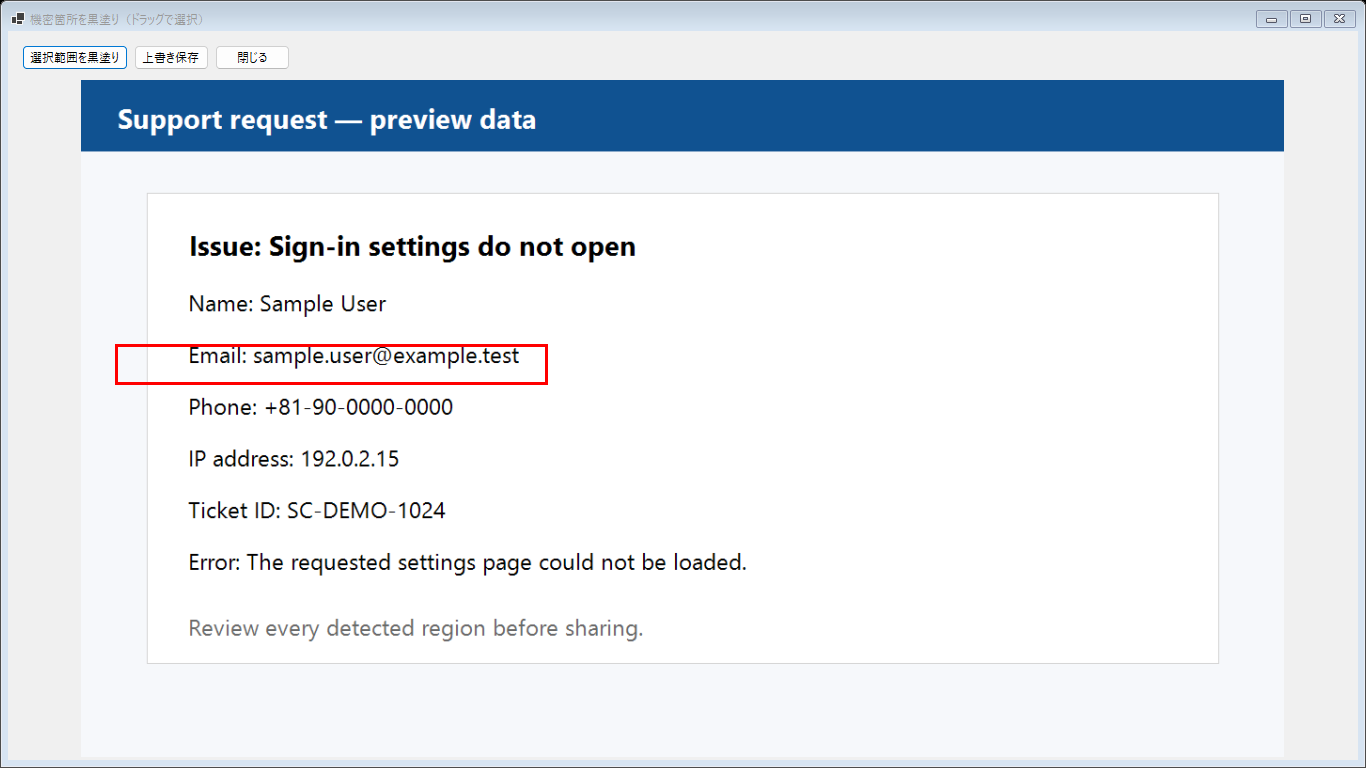
Add comments, remove unwanted steps, and manually cover any area that should not leave your PC.
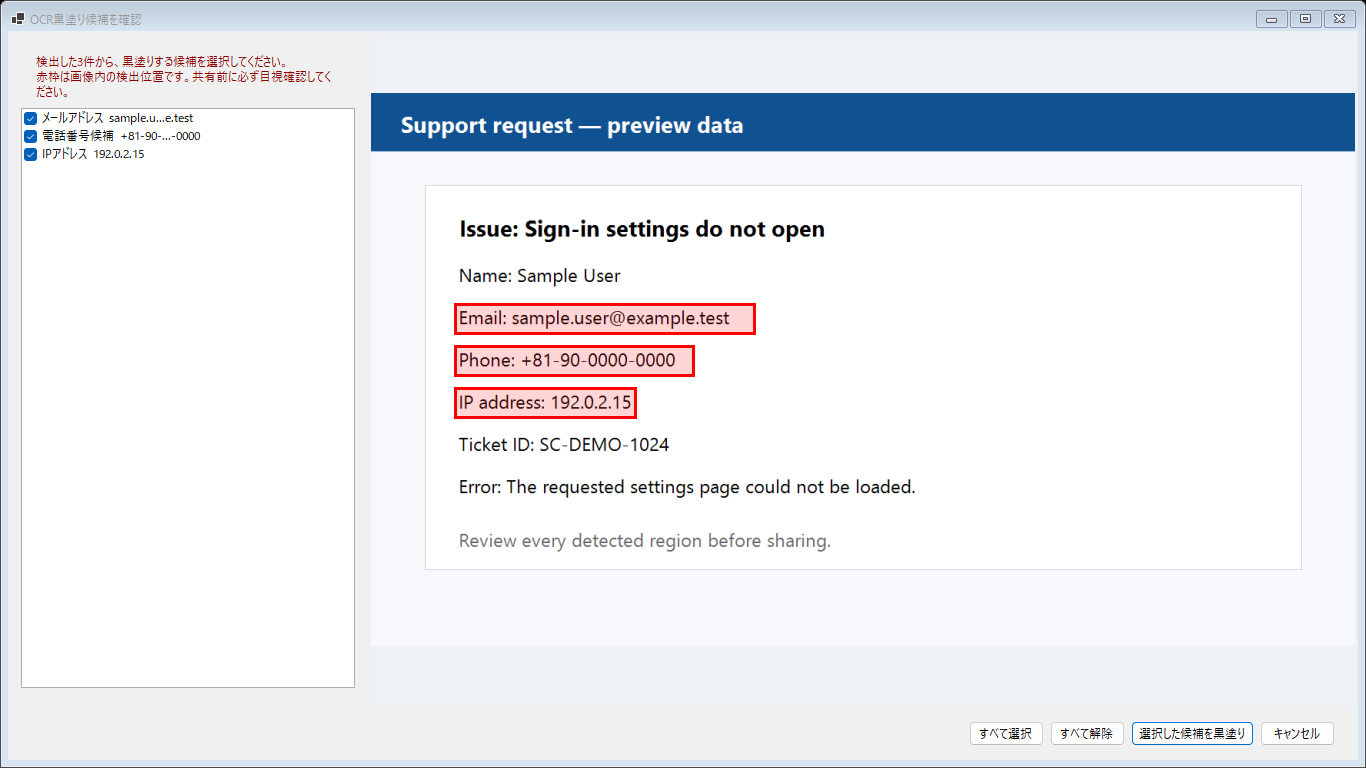
Use Windows OCR to flag possible emails, phone numbers, card numbers, IP addresses, and API keys for review.
Create one self-contained HTML file or a ZIP containing HTML, images, and structured JSON.
The app is designed not to collect typed keys, Windows user names, or PC names.
The app is free. An optional Microsoft Store add-on removes the promotional banner permanently.
Workflow
Start capture and reproduce the issue at your own pace.
Check every image and cover anything that should remain private.
Save an HTML report or ZIP, then share it through the channel you choose.
Screenshots
Privacy
The current release does not upload screenshots, OCR results, comments, or exports to our servers. You decide where the finished report goes.
FAQ
No. Support Capsule captures screenshots triggered by relevant clicks; it is designed not to collect keystrokes.
No. OCR proposes possible sensitive items. You review the findings and choose what to redact.
The HTML report is designed for viewing and sharing. Make corrections in the app and export again for the cleanest result.
Review every image for personal data, confidential documents, notifications, account details, and anything outside the intended support scope.
Another Windows tool