QA and screen-flow checks
Replay the same navigation path through a desktop app while keeping the target window and step order explicit.
 Safe automation for repetitive click routines on Windows
Stop repeating the same buttons by hand. Preview the routine in Dry Run, then automate it.
Why it exists
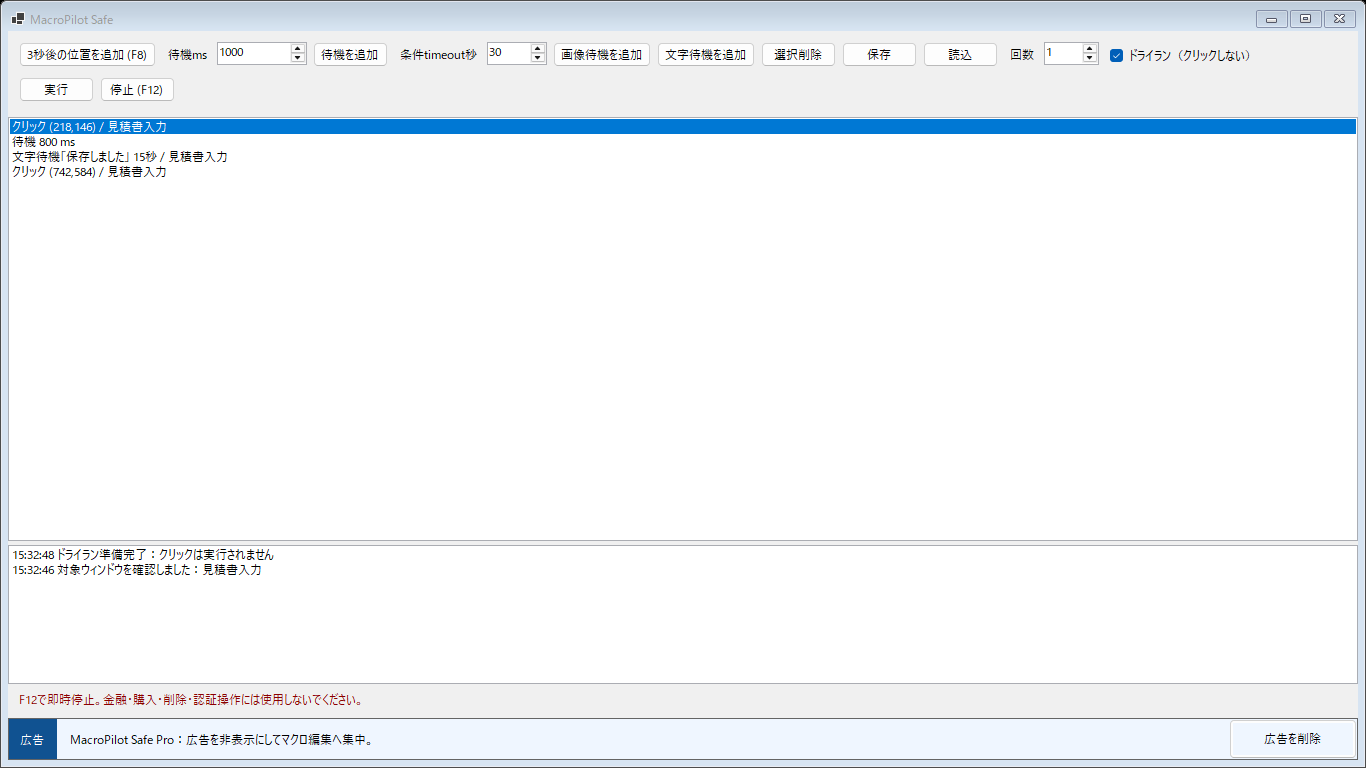
Window Click Automation records clicks relative to the app window you choose, so moving that window does not immediately break the routine. Use it for repeatable desktop workflows such as stepping through test screens or running the same buttons in a utility. Add delays or wait for an image or OCR text, preview without real clicks, then run only after checking the sequence.
Use cases
Replay the same navigation path through a desktop app while keeping the target window and step order explicit.
Repeat a low-risk sequence such as opening the next item, starting a process, waiting for completion, and continuing.
Wait for an expected image or status text before clicking the next button instead of relying only on fixed delays.
Features
Clicks are stored against the target window instead of fragile whole-screen coordinates.
Preview every step without clicking. Real execution requires a separate confirmation.
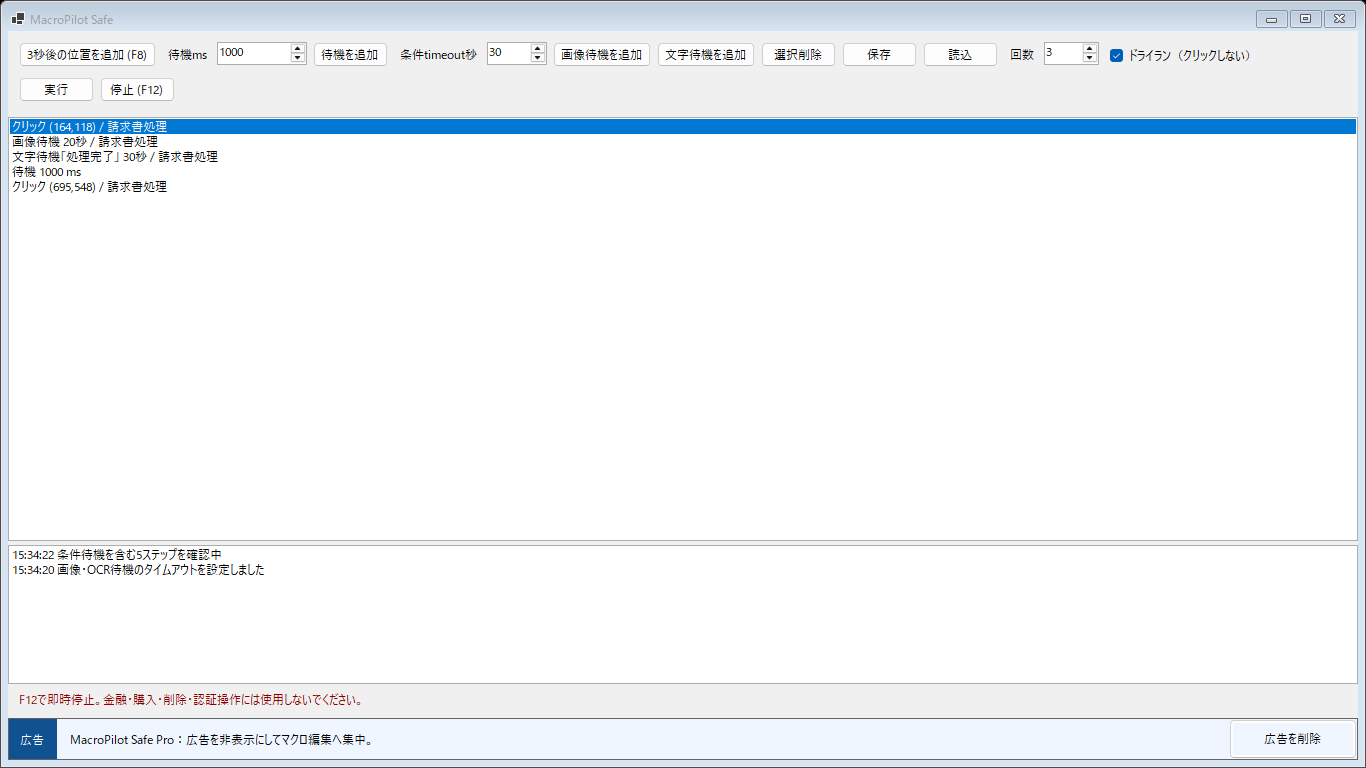
Pause until an image or OCR text appears, with a timeout that prevents endless waiting.
Stop an active run immediately from the keyboard when the destination is not behaving as expected.
Repeat 1–100 times and save or load the sequence as a JSON file on your PC.
The app is free. An optional Microsoft Store add-on removes the promotional banner permanently.
Workflow
Select the intended window, then add click positions with F8 or the three-second timer.
Insert delays, image waits, or OCR text waits where the screen must be ready first.
Review the sequence without clicks. Enable real execution only when the preview is correct.
Screenshots
Privacy
The current release stores macro steps as local JSON and does not upload sequences, screenshots used for matching, or OCR results to our servers.
Safety
Use it for repeatable, low-risk desktop steps where a mistaken click is easy to notice and recover from.
Do not use it for purchases, money transfers, deletion, authentication, security decisions, or game cheating.
Positions are relative to the chosen window, so moving the window is supported. Layout changes inside the app can still require re-recording.
No. Scaling, theme changes, animation, and OCR errors can affect matching. Use timeouts, dry runs, and visual supervision.
Another Windows tool